





One FREE Spec File. One Line to Ask. A Pretty Cool PMO Trust Assessment App.
I’ve been watching Copilot App Builder from a distance for a while. Interesting concept, but I wanted to see if it could actually build something real — not a demo, not a toy. Something I know inside and out.
So I built the PMO Trust Assessment.
You’ve probably seen it on the site — three questions, about three minutes, tells a PMO Director exactly where they stand with leadership on Transparency, Traceability, and Trust. I know every question, every answer branch, every result state. If App Builder was going to fumble anything, I’d catch it.
Here’s what surprised me: it took about 30 minutes to learn the tool, get the hang of it, and build a spec document detailed enough to hand back to a fresh instance of App Builder and have it reconstruct the whole thing. The spec does the talking. You just ask.
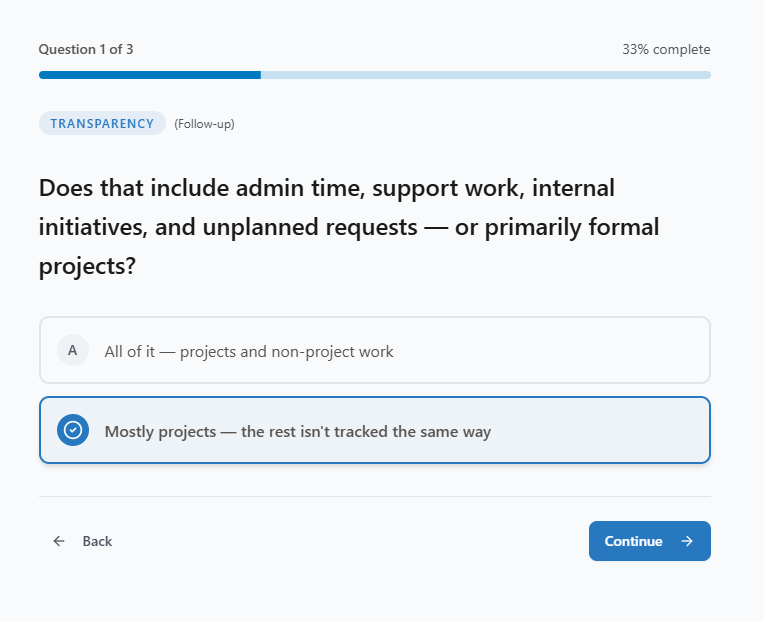
What the app does
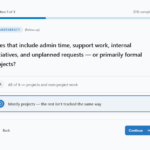
Three questions walk the user through the 3T framework — Transparency (does leadership see all the work?), Traceability (is there a baseline to show variance?), and Trust (what is leadership actually making decisions from?). Based on their answers the app scores each dimension, shows a visual of where the pillars are, and routes them to one of four results: Elite Company, Strong Foundation, The Picture Has Gaps, or Partial Visibility. Each result has a specific insight message and two CTAs — one to explore the roadmap, one to start a conversation.
The conditional follow-up on Question 1, the directional lean on the Trust block when something’s off, the result copy — all of it is in the spec. App Builder reads it and builds it.
Here’s what to do
Download the spec file below. Then open Microsoft Copilot Studio App Builder and follow the video — I walk through the whole thing step by step.
Prerequisites before you start:
- Access to Microsoft Copilot Studio (requires a Microsoft 365 license with Copilot)
- Your tenant must have Copilot Studio enabled — check with your IT admin if you’re not sure
- You’ll need permission to create and publish an agent in your environment
Quick tip for your security admin: Enabling the Copilot frontier model in your tenant does not mean every user gets access. Access is controlled by who you assign a Copilot license to. You can turn it on for a small group, test it, and expand from there. Low risk, high control.
Go build it
Download the spec, watch the video, follow the steps. Takes about 30 minutes start to finish.
When you’re done — let me know how it went. I’d love to hear what your PMO team thinks when they see it.
Download Your PMO Trust App Spec Sheet
Send download link to:
Want to watch a video instead? >>here’s the quick video. <<
Need help or want to talk through what your PMO’s results actually mean?
Author Profile

- Navy Veteran, PMO, AI Evangelist, Microsoft Project Server, Microsoft Project, Power BI and everything M365.
Latest Entries
 PMO RoadmapsApril 22, 2026Project Server Resource Management or Demand Management? You Need Both
 PMO RoadmapsApril 22, 2026Why PMO Transformations Fail—and the PMO Roadmap That Makes You Successful
 PMO RoadmapsApril 22, 2026Microsoft Planner Agent Shows the Real Risk of AI in Project Management: No Baseline
 PMO RoadmapsApril 21, 2026Build Your Free Copilot App for Your PMO
